 Fixly AI
Write better, in any app.
Fixly AI is an iPhone keyboard with a built-in writing assistant. Fix grammar, rewrite or translate with one tap — in English, Vietnamese and 12 more languages.
Coming soon on the App StoreFree. No account. Works with Apple Intelligence or your own AI key.
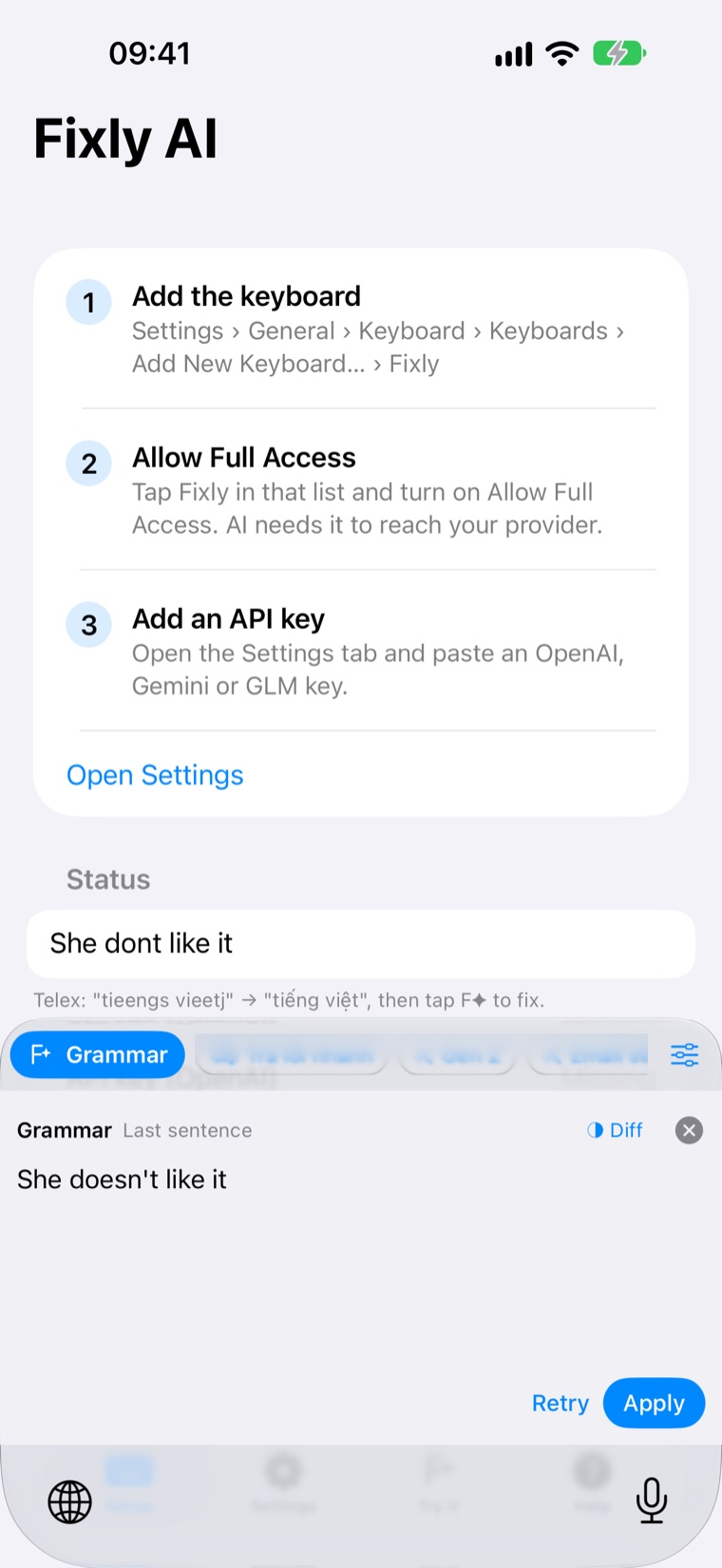
Everything you need, above your keys.
A native-feeling keyboard with AI that works where you type: Messages, Mail, Slack, Zalo, Notes and more.
One-tap fixes
Grammar, Rewrite, Shorten, Expand, Email Reply, Translate and Auto — in a friendly, normal or professional tone.
Apply in place
Replaces your selection or the sentence you just typed. Changed your mind? One-tap Undo.
Quick replies
Get three short replies to any message you select or copy, and insert one with a tap.
Clipboard actions
Fix, translate, summarize or reply to text you copied from another app.
14 languages
Vietnamese, English, Japanese, Korean, Chinese, French, German, Spanish, Thai and more.
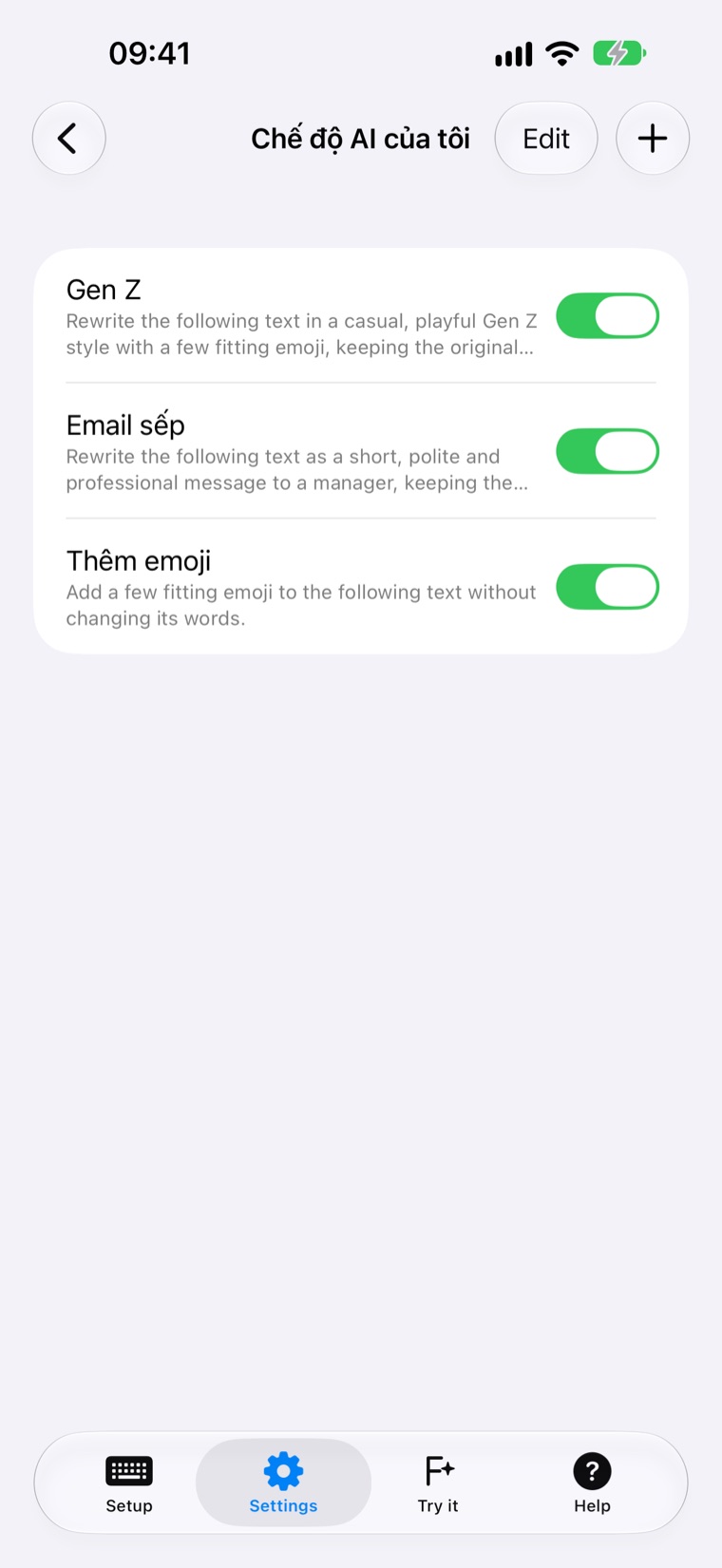
Your own AI modes
Create one-tap actions like “Gen Z style” or “Email to my boss” with your own instructions.
Smart suggestions
Word completion, next-word prediction that learns privately on your iPhone, emoji and your text shortcuts.
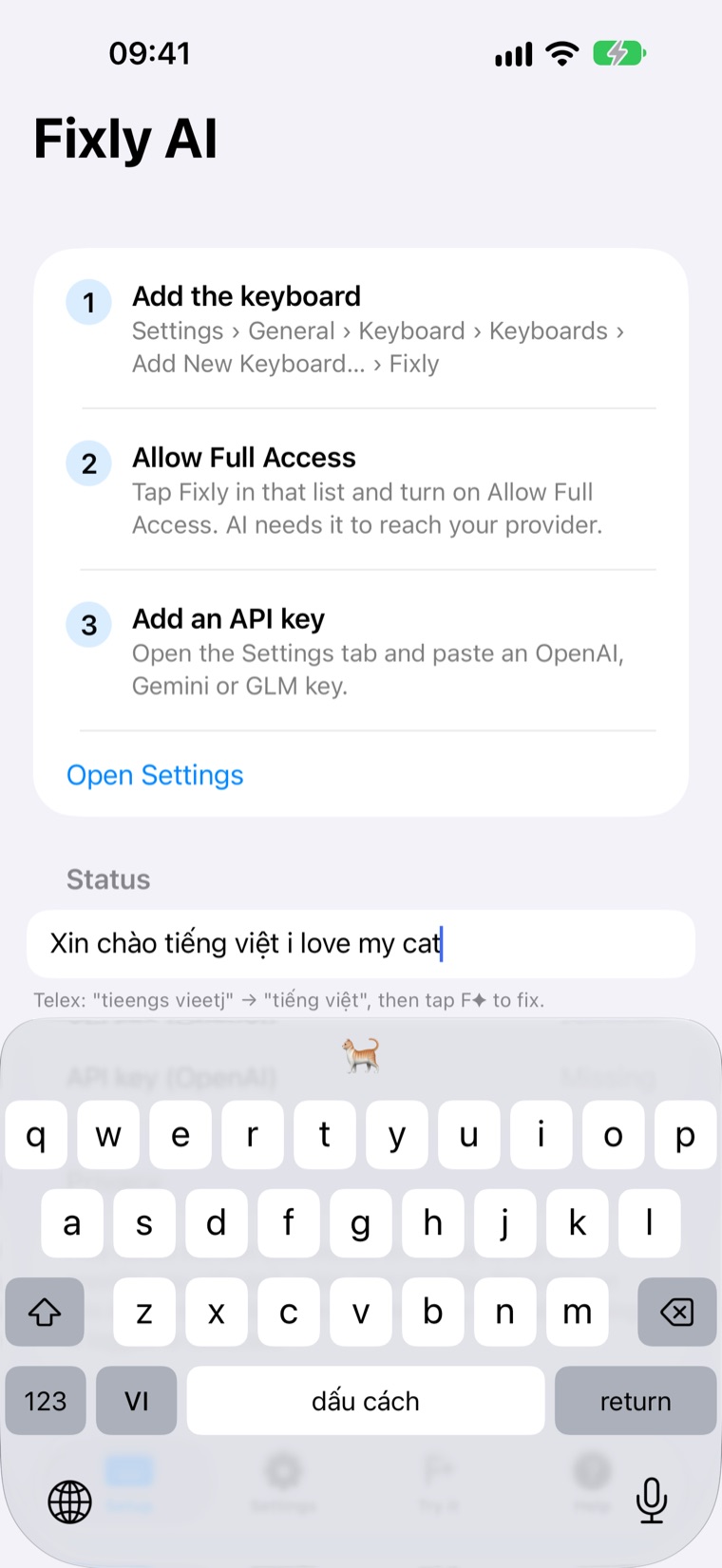
Vietnamese Telex
Type Vietnamese naturally with built-in Telex and a one-tap VI/EN switch.
Share › Fixly AI
Fix, translate or reply to text from any app through the Share sheet.
See it in action.
Familiar iOS layout, hold-for-accents, space-bar cursor and dark mode — plus AI when you need it.
Private by design.
Fixly AI has no account, no tracking and no analytics. Read the privacy policy.
On-device AI
On iPhones with Apple Intelligence, AI runs on your device — no API key needed.
Your key, your provider
Prefer the cloud? Use your own OpenAI, Gemini or GLM key. Text goes straight from your iPhone to the provider you choose.
Only when you ask
Text is sent to AI only when you tap an AI action. Keys stay in your iPhone’s Keychain.